How to set Child Age Pricing
Modified on: 2025-11-25 14:11
As part of our design update, the screenshots are currently being revised.
Intro
The switch function of Child Age Pricing is configured in the PMS Connection Level and now it’s configured MEWS PMS Connection for pilot. Please raise a ticket if other PMS Connections hotels need the child age pricing function.
TABLE OF CONTENTS
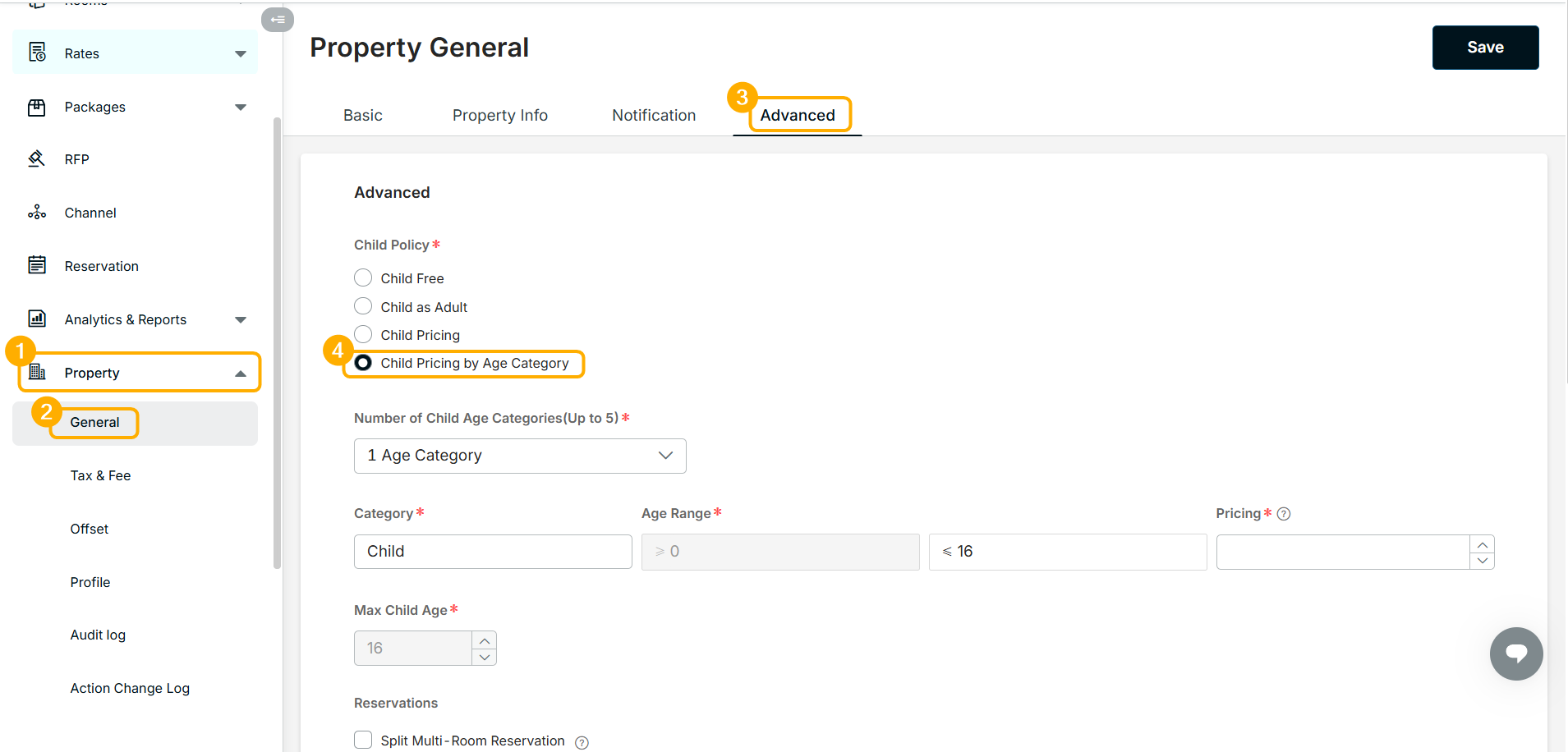
Step 1. Child Policy Set Up
- Click Property > General
- Switch the tab to Advanced
- Select Child Pricing by Age Category as child policy
Step 2. Set up Child Pricing
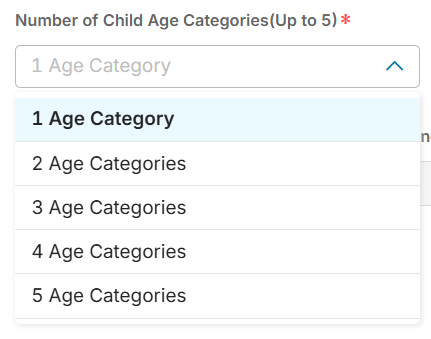
- Select the Number of Child Age Categories you want to define (up to 5)
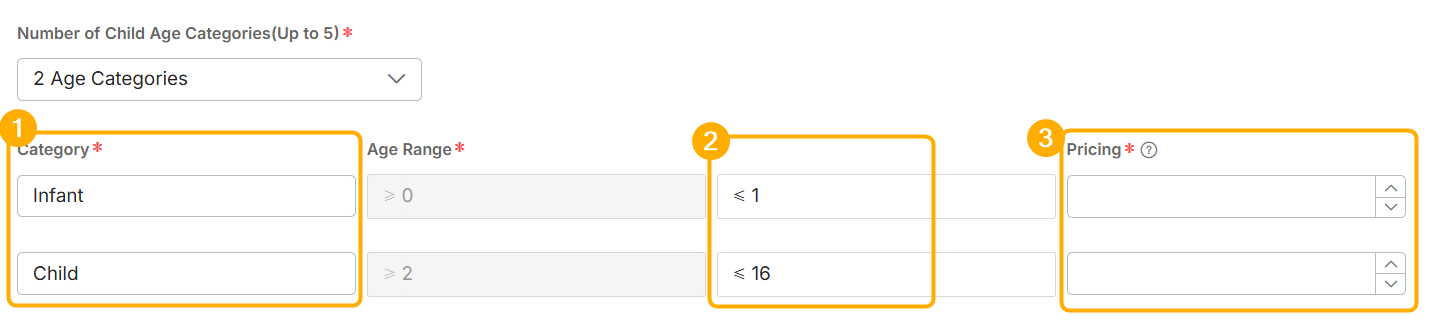
- Define the name,child age range, and Price for each child category
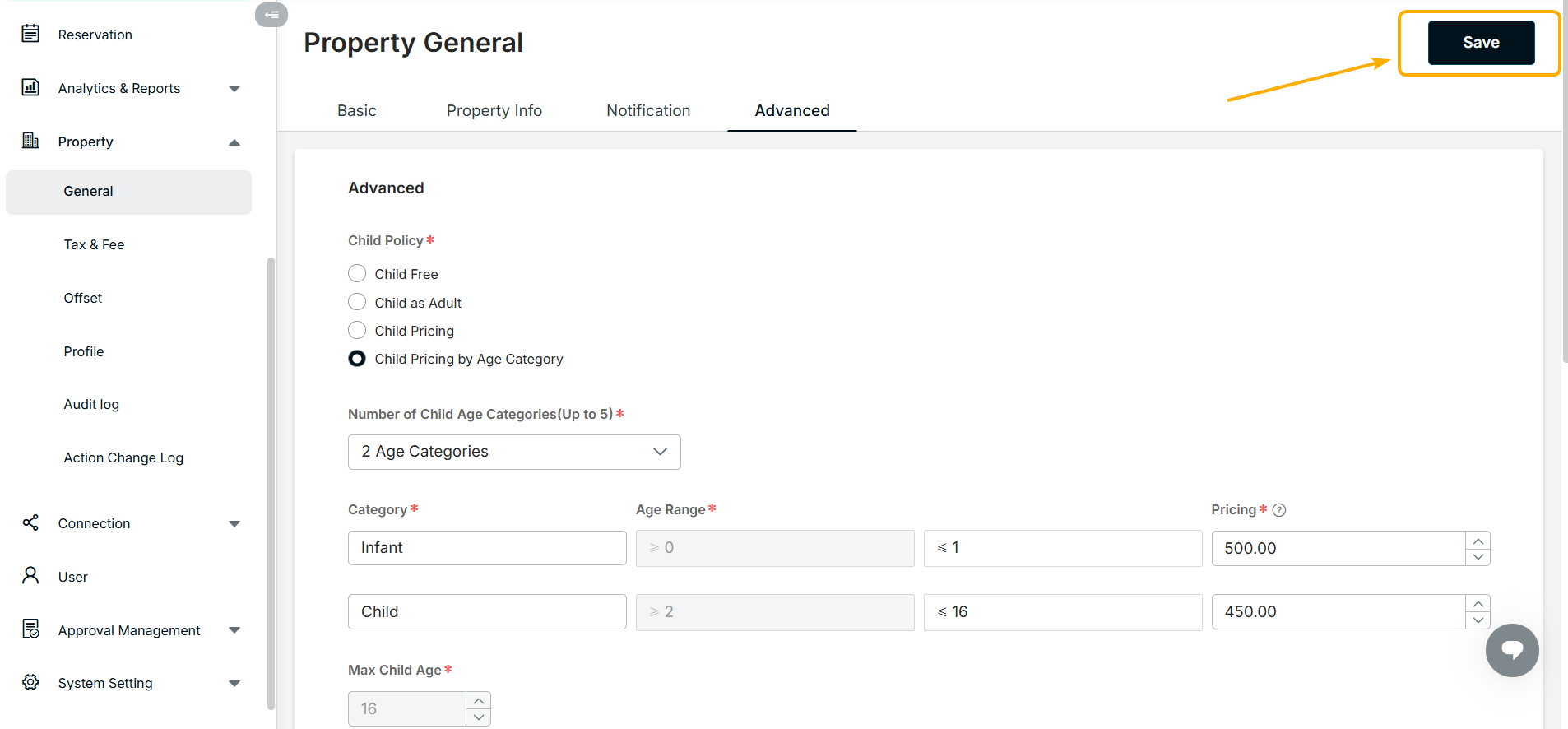
- Click the Save Button
Note:
1. Child Age Categories are set up to 5.
2. Child Age Pricing setting only supports amount.
3. Child and Pricing can not be set by date.
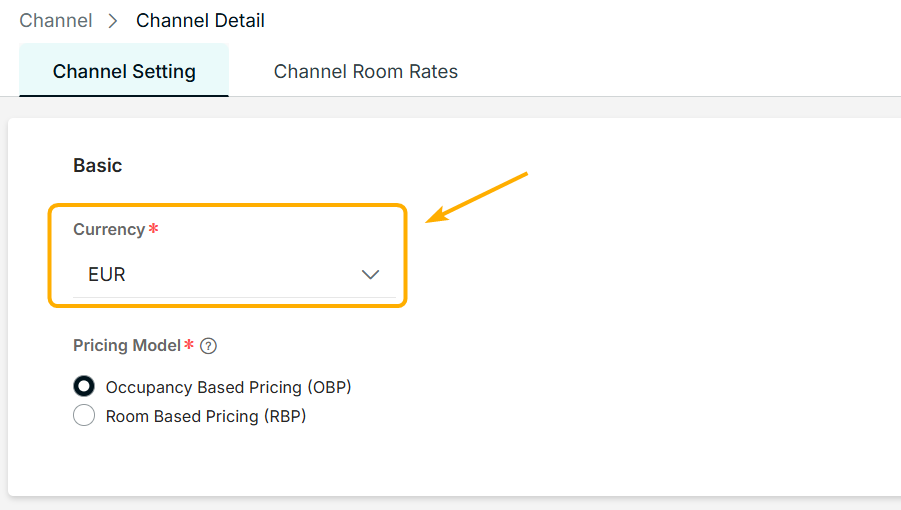
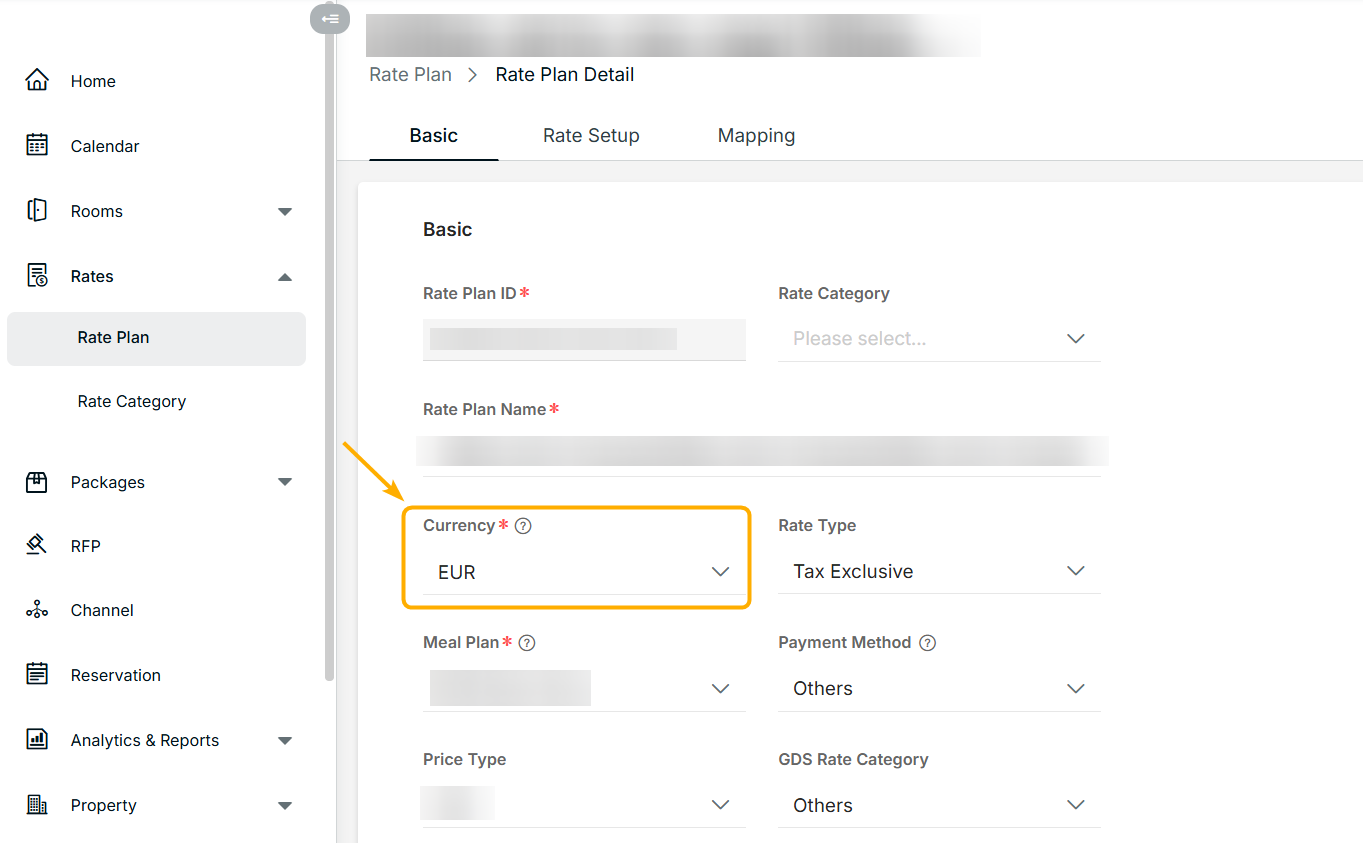
* Currency & Rate Type
- The channel setting and rate plan determine the currency of child age pricing.
- The channel setting and rate plan determine the rate type of child age pricing.
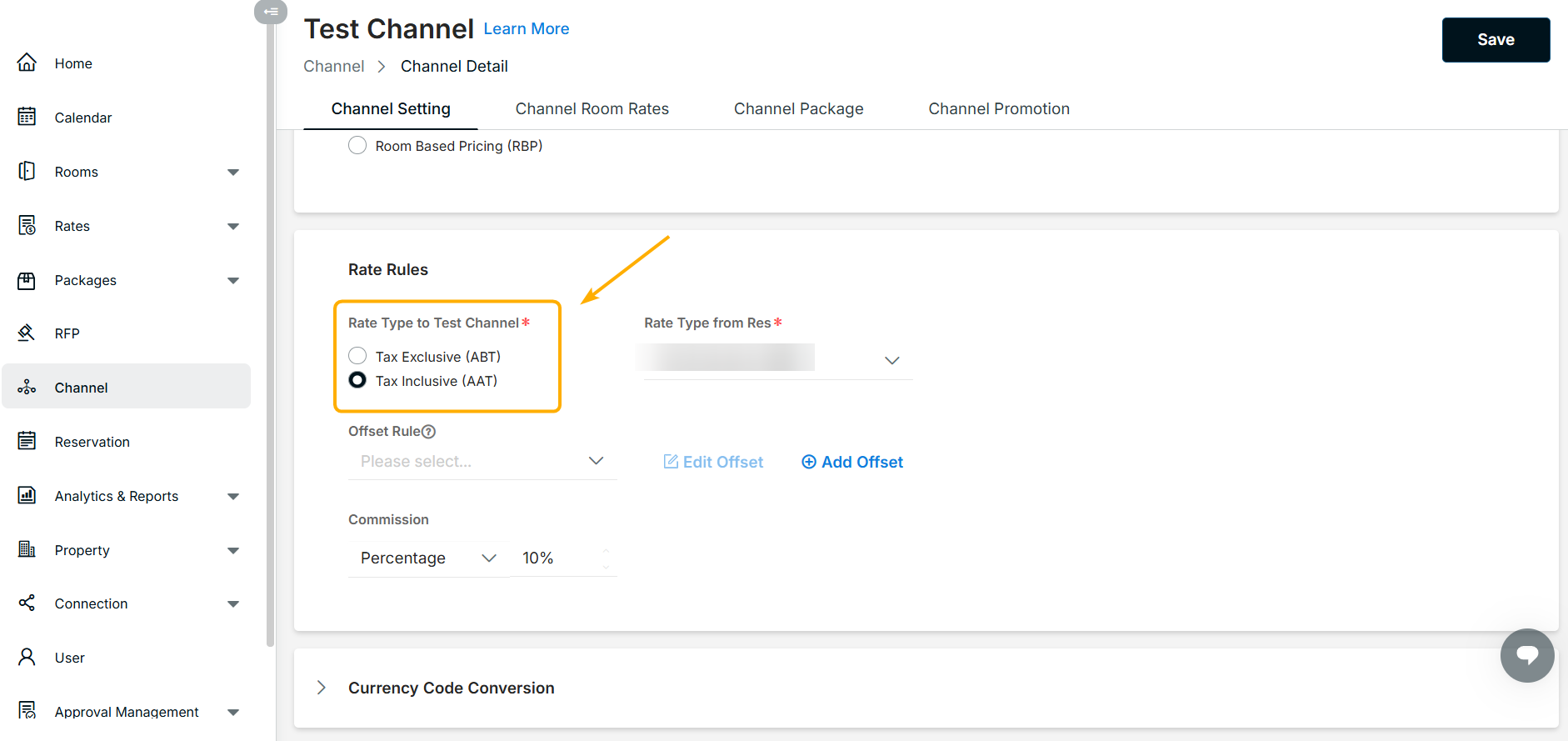
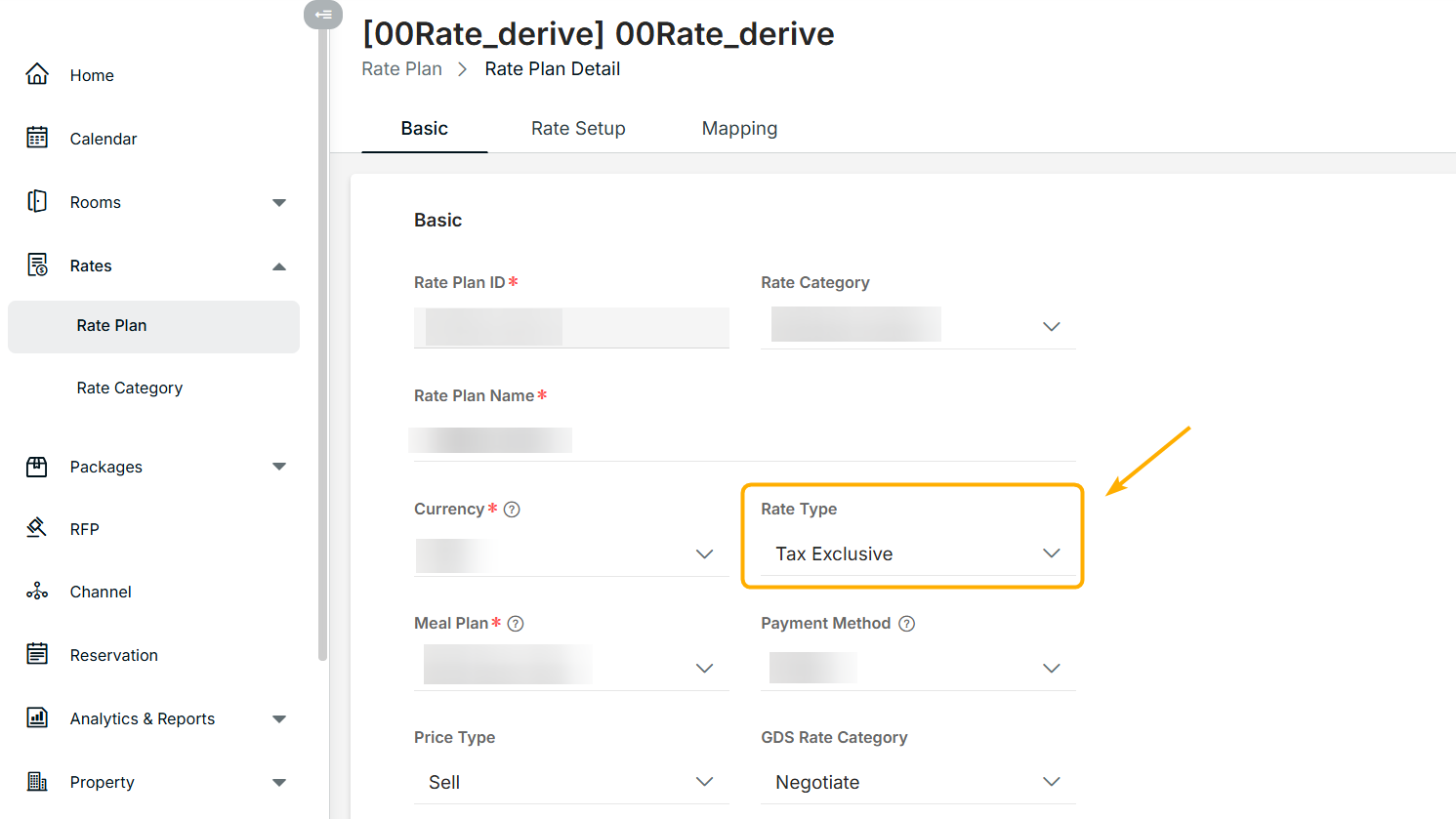
Note:
It's not available if the pricing model is set Room Based Pricing(RBP) for this channel.
Did you find it helpful? Yes No
Send feedbackSorry we couldn't be helpful. Help us improve this article with your feedback.